 rumaruma
How to Choose a Standing Desk in Malaysia That Wobbles Less When You Type
A standing desk can feel solid in the shop and still shake your monitor at home, so here’s what to check before you pay and what to do if yours already wobbles.
On this page
- Why Your Monitor Shakes When You Type
- What to Check Before You Buy a Standing Desk in Malaysia
- How to Test a Standing Desk in the Showroom
- Standing Desk Malaysia Prices: What Each Budget Gets You
- How to Reduce Wobble on a Standing Desk You Already Own
- Planning a Standing Desk Into Your Renovation
- Your Standing Desk Checklist Before You Pay
The desk arrived, the assembly took an afternoon, and it rose beautifully at the press of a button. Then you stood up, started typing, and every keystroke made your monitor nod along. This happened on our own 4-foot desk, and it’s the reason this guide exists.
Most advice on buying a standing desk in Malaysia compares motors, memory buttons and height range. Those matter, but none of them tells you whether your screen will stay still. That depends on a chain of smaller things, and most of them can be checked before you pay.

Why Your Monitor Shakes When You Type
Your monitor shakes because small movements in the desk get passed up and magnified. Typing pushes on the desktop, the raised frame flexes a little, and the monitor’s stand or arm exaggerates the movement at the screen. Each link adds a bit, so a desk can pass a quick push test and still annoy you all day.
| Link in the chain | What goes wrong | Why it matters |
|---|---|---|
| Height | The legs are extended further at standing height | Height gives every push more leverage, so a desk can feel rigid when low and sway when raised |
| Frame | Loose bolts, poorly fitted glides or no crossbar | The legs can move independently, or the inner and outer columns have play between them |
| Feet | A shallow base under a deep top | The desk has less resistance when you lean or push from the front |
| Desktop | A thin top, or a clamp on a soft edge | The surface flexes under your hands and passes that movement into the mount |
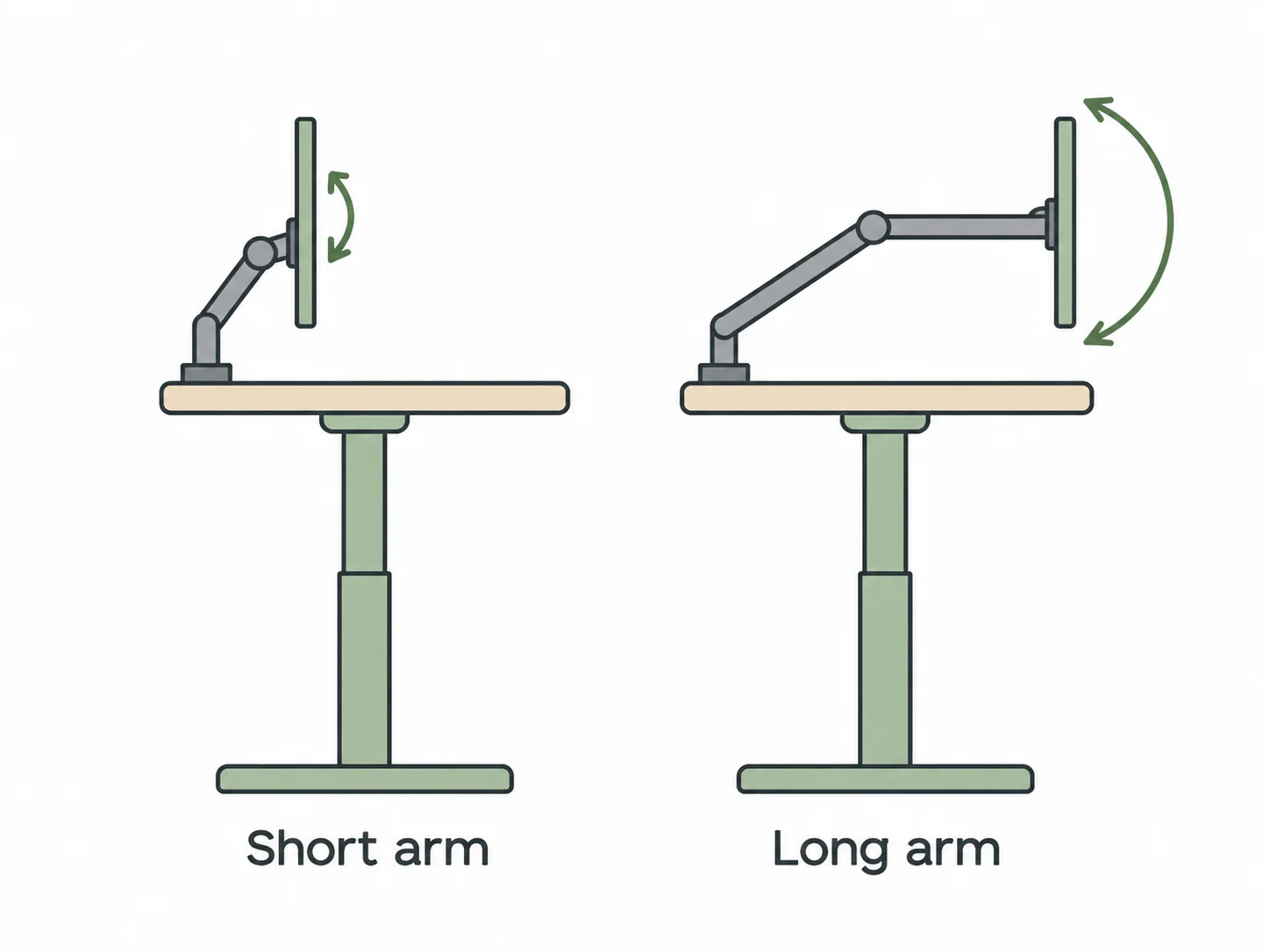
| Monitor mount | A long, fully extended arm | The arm acts as a lever, so a tiny movement at the base becomes a visible one at the screen |
| Floor | Uneven tiles, or legs sinking into thick carpet | The whole desk rocks, even if the frame itself is good |
A two-minute test: desk or monitor
Raise the desk to your working height and type normally. Rest a fingertip on the desktop, then watch the top edge of the screen against something still behind it, like a window frame.
- The desktop moves and the screen follows — the frame, the floor or the top is the likely cause. A new monitor arm probably won’t cure it.
- The desktop barely moves but the screen bobs — the mount is the likely cause, though the causes can overlap. Before buying anything, try the monitor’s original stand and see if the bobbing drops.
- The whole desk rocks on its feet — the floor or the feet are the likely cause, so start with the levelling feet.
What to Check Before You Buy a Standing Desk in Malaysia
Sellers tend to lead with the specs that are easiest to print. These are the ones to ask about instead, and a seller who can’t answer most of them has told you something too.
The frame
- Crossbar — a fixed crossbar ties the legs together. Office furniture dealer BTOD lists a missing cross support as a cause of wobble, and prefers fixed bars to expandable ones because every moving part is a possible source of play.
- Glides inside the legs — these are the sliding pads between the leg stages. Ask if they sit at both the top and bottom of each stage. BTOD calls glides at only one end a red flag for stability at full height.
- Feet — deep feet resist front-to-back rocking better than short ones. Compare the foot length with the depth of the top, and look for levelling feet.
- Frame weight — this is only a clue, but a heavier steel frame is usually a good sign. One reviewer on IKEA’s page puts the MITTZON underframe at 37kg, so a far lighter frame deserves a harder look.
- A named stability standard — IKEA says MITTZON meets EN 527. If a seller claims a standard, ask which one. A pass doesn’t give you a wobble score, but it’s better than the word “sturdy”.
The specs that sound more useful than they are
- Dual motor — two motors lift more smoothly and evenly, and they’re a sensible choice for a heavy setup. We found no independent test showing that two motors alone reduce wobble, and desk makers themselves disagree.
- 3-stage legs — these give you a wider height range. Sellers often say they’re steadier at full height, but they add another joint that has to fit tightly, and we found no independent testing that settles it. If you’re of average height and don’t need the full range, a well-built 2-stage frame can do the job.
- Load capacity — 80kg or 120kg tells you what the desk can carry, not how still it stays while carrying it.
The height you’ll really use
Stand in the shoes or slippers you wear at home, relax your shoulders and bend your elbows to about 90°, with your forearms level as if you were typing. Measure from the floor to the underside of your forearm. That’s roughly where the keys should sit, so your desktop should be a little lower, by about the height of your keyboard.
Compare that desktop height with the listed maximum, and check whether the figure includes the top: one listing we checked says its 72–122cm includes a 2cm top.
If your desktop height is close to the desk’s limit, you’ll be working where the legs are most extended. Choose a frame with some height to spare.
The top
- Thickness — don’t assume a higher price buys a thicker top. Among the listings we checked, the ERGOLIFT at RM1,050–RM1,190 specifies 25mm, while the height note on the RM2,099 TTRacing Tivon implies 2cm. On a 4-foot top with a clamped arm, we’d treat anything thinner than 25mm as a reason to ask more questions.
- Material — most tops are melamine-faced particleboard, which is fine as a work surface. Its weak spots are edges and holes. In a humid Malaysian room, a chipped edge or a drilled hole can take in moisture, and that’s often where a clamp grips. Our guide to melamine and other cabinet boards explains how these boards behave.
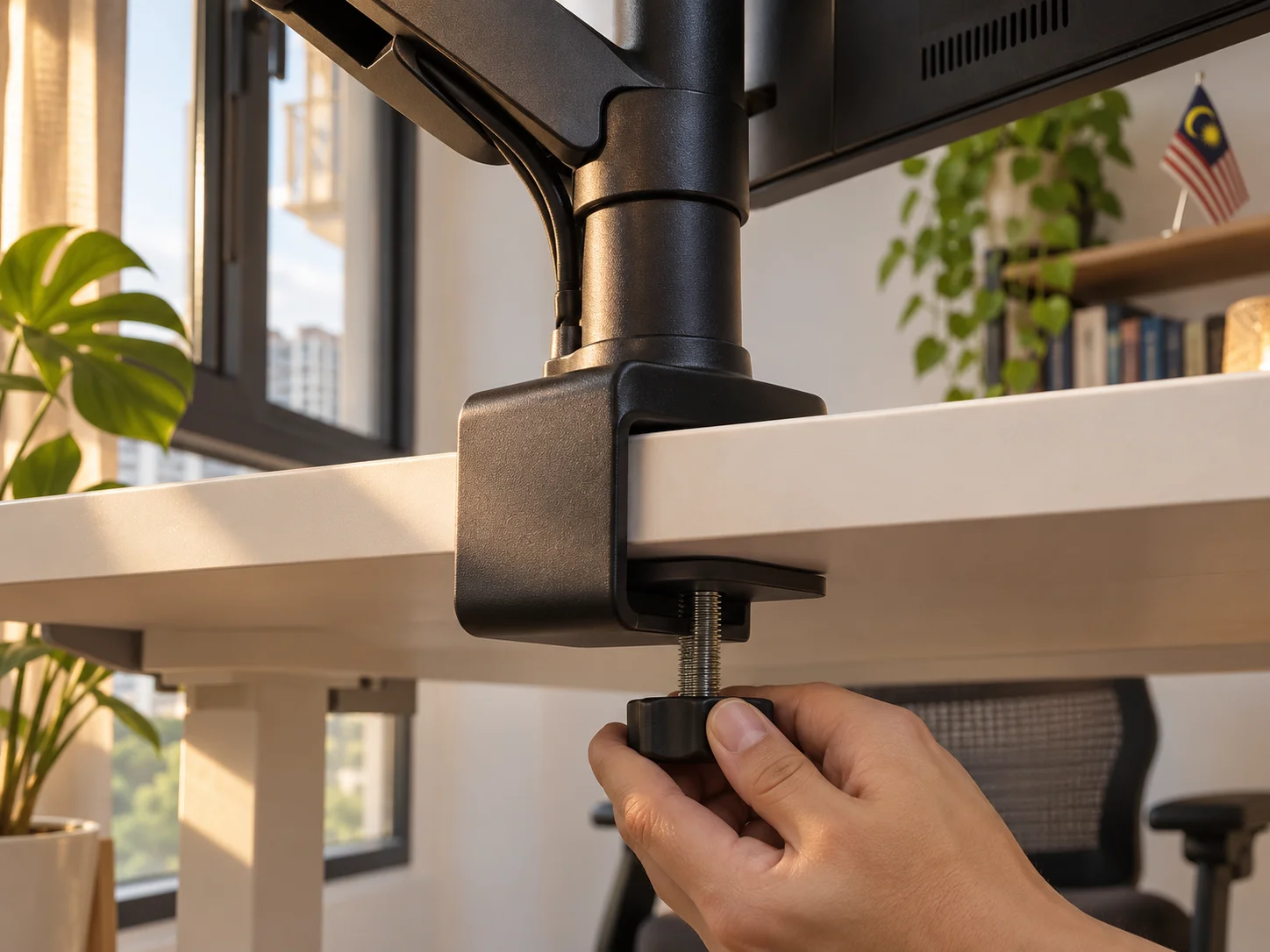
- Edge shape — BenQ’s monitor arm guide warns that bevelled or rounded edges over about 2.5cm can make a clamp less stable, and that hollow-core tops are prone to damage. Look for a flat, solid edge.
- Depth — a 70–80cm top lets the screen sit at a comfortable distance without stretching an arm forward. A 60cm top leaves less room, so a large monitor may end up closer than you’d like.
Your monitor setup
Four feet sounds generous until you measure your screens. Two 27-inch monitors are about 122cm wide, so they already fill a 120cm desk, and pushing them apart or angling them usually means extending the arms. That’s the position most likely to wobble.
- One monitor — a short arm or a solid stand, with the screen kept close to the base.
- Two large monitors — consider a 140cm top or wider, if your room can take it.
- An arm you already own — check its clamp range against the top’s thickness, and look under the desk for a beam near the back edge that could block the clamp.
4-foot or 5-foot: a longer top won’t cure wobble
A 5-foot desk isn’t automatically steadier than a 4-foot one, because the legs do most of the work of keeping it still. This is reasoning from basic physics, not a test of real desks, but the trade-offs are clear enough to plan around:
- What helps — a longer top adds weight, so each keystroke moves the desk slightly less. It also gives you room to keep your monitors close to their bases instead of stretching the arms.
- What can hurt — the legs sit further apart, so the top and any crossbar have a longer span to flex across unless they’re built stiffer.
- What stays the same — on the same frame at the same height, the legs bend just as they did before.
Choose 5 feet if your screens or your work need the space, especially with two large monitors. If you have one screen and 4 feet already fits, put the money towards a better frame instead.
How to Test a Standing Desk in the Showroom
A desk at its lowest setting will tell you very little. Ask to raise it, and take a few minutes over this:
- Raise it to the desktop height you measured, not the lowest or highest setting.
- Place a glass of water near the back edge and type on the desk for 30 seconds. Watch the surface of the water.
- Push a corner gently from side to side, then let go. Count how long the movement takes to stop.
- Repeat from the front, the way you’d lean on it to reach for something.
- Look underneath for a crossbar, and check how far the feet extend under the top.
- Hold a leg and feel for play between the stages.
- Ask if the display unit carries the same frame and top as the one you’d take home.
- If you use an arm, ask to clamp one on, or bring yours.
This is our own practical test, not an industry standard. Its value is comparison, so run the same steps on every desk you’re considering.
Buying from Shopee, Lazada or a brand’s website
Many standing desks in Malaysia are sold online, with no chance to touch them first. You can still ask for most of the same information:
- Ask for a video — a short clip of the desk raised to about your height, with someone typing on it and a monitor on top. A seller who’s confident in the frame shouldn’t find this hard.
- Read reviews for the right words — search them for “shake”, “wobble” and “goyang”, and look for reviewers who mention their height and setup.
- Check the return terms before paying — a desk can be heavy and bulky, so find out who collects it and who pays if it isn’t steady enough.
- Keep the frame and top specs in writing — screenshots of the listing are useful if what arrives is different.
Standing Desk Malaysia Prices: What Each Budget Gets You
Expect to pay around RM1,000 for an entry-level electric desk, and RM1,700 for a 120cm dual-motor desk from IKEA. Listings around RM2,100–RM2,300 were for larger dual-motor desks, at discounted prices.
| Listed price | Example listing (checked 5 November 2026) | What to check |
|---|---|---|
| RM999 | TTRacing Titus X, 1.2m at Gamepanic: motorised, 72–120cm | Motor count and load capacity weren’t stated, so ask, along with the frame questions above |
| RM1,050–RM1,190 | ERGOLIFT at Asiastar Furniture: dual motor, 25mm melamine top, 71–115cm, 4 ft to 6 ft sizes (discounted) | The listing doesn’t state leg stages or a crossbar, or which size each price is for, and the 115cm maximum may not suit taller users |
| RM1,699 | MITTZON, 120 × 80cm at IKEA Malaysia: dual motor, 62–126cm, 80kg | Particleboard top; the 140cm version is RM1,799 |
| RM2,099 | TTRacing Tivon, 1.4m at Maybank MyTreats: dual motor, 72–122cm (discounted from RM4,299) | The height note implies a 2cm top, so confirm the thickness |
| RM2,299 | FlexiSpot E7 Pro, 150cm at Maybank MyTreats: dual motor, 3-stage, 66–131cm (discounted from RM3,299) | Compare the selling price and the size you need, not the discount |
Prices are for reference only, taken from these listings on 5 November 2026, so cheaper desks may be sold elsewhere, including on online marketplaces. Prices change with the size, top material, frame, promotions and delivery or assembly charges. These are examples to compare, not recommendations: we haven’t tested them, and no seller paid to appear here.
These figures can’t rank desks for stability, because we didn’t find any independent wobble test covering the desks sold here. Paying more may buy a better frame, a bigger top or simply a better-known brand. The checks above will tell you more than the price tag.
How to Reduce Wobble on a Standing Desk You Already Own
Most desks will still move a little at standing height, so the realistic goal is a screen that moves too little to bother you. Start with the free fixes, and only spend money once you know which link is likely causing the problem. Use the two-minute test above, then work down the list.
- Tighten every bolt. Bolts can be missed during assembly or work loose. Check again after the first few weeks.
- Level the desk. Adjust the levelling feet until it no longer rocks. If it’s on thick carpet, move it onto a hard, level surface.
- Lower it slightly. Try the lowest height that’s still comfortable. In a simple physics model, a leg bends with the cube of its height, so a 10% drop cuts the movement by about 27%. Real telescoping legs won’t match that exactly, but it’s a free fix that’s well worth trying.
- Shorten the arm’s reach. Bring the screen closer to the arm’s base and fold the arm in. This is often the quickest improvement for a screen that bobs.
- Move the clamp. Try a spot closer to the middle of the back edge, or use a grommet mount if the top has a hole. BenQ also suggests a reinforcement plate to spread a clamp’s force.
- Try a stand instead. Set the arm aside for a day and use the monitor’s original stand, or a sturdier one. Then you’ll know how much the arm was adding.
- Soften your keystrokes. A thick desk mat can take the edge off the vibration from typing. It won’t fix a weak frame.
- Add a crossbar. Clamp-on crossbars are sold for frames without one. Before buying, ask the desk’s manufacturer or seller if one fits your frame and if fitting it affects your warranty. Follow the instructions, since over-tightening can damage the legs.
- Replace the top. If the top is flexing and the frame is good, a carpenter can make a thicker one to fit it. First ask the manufacturer or seller which top sizes and fixing points the frame supports, and if a non-original top affects your warranty. A heavier top also uses up load capacity.
Wall-mounting the monitor: steadiest screen, with a catch
BenQ suggests a wall-mounted arm for people bothered by typing vibration, and the reason is simple: the arm doesn’t touch the desk at all. The catch is that the screen no longer rises with the desk, so you’d have to move it by hand each time you change height. That takes an arm with enough vertical travel to cover both your sitting and standing positions.
You’ll also need a wall that can hold it. Find out if it’s concrete, brick or lightweight board before you buy, because board needs a proper fixing point behind it. Drilling a few holes is minor work, but it’s still wise to stay within your building’s permitted JMB or MC working hours.
Planning a Standing Desk Into Your Renovation
The desks we checked travel roughly 45–65cm between their lowest and highest points, and most study rooms aren’t designed for that. If you’re renovating, a few small decisions now will save you from visible cables and awkward fixes later.
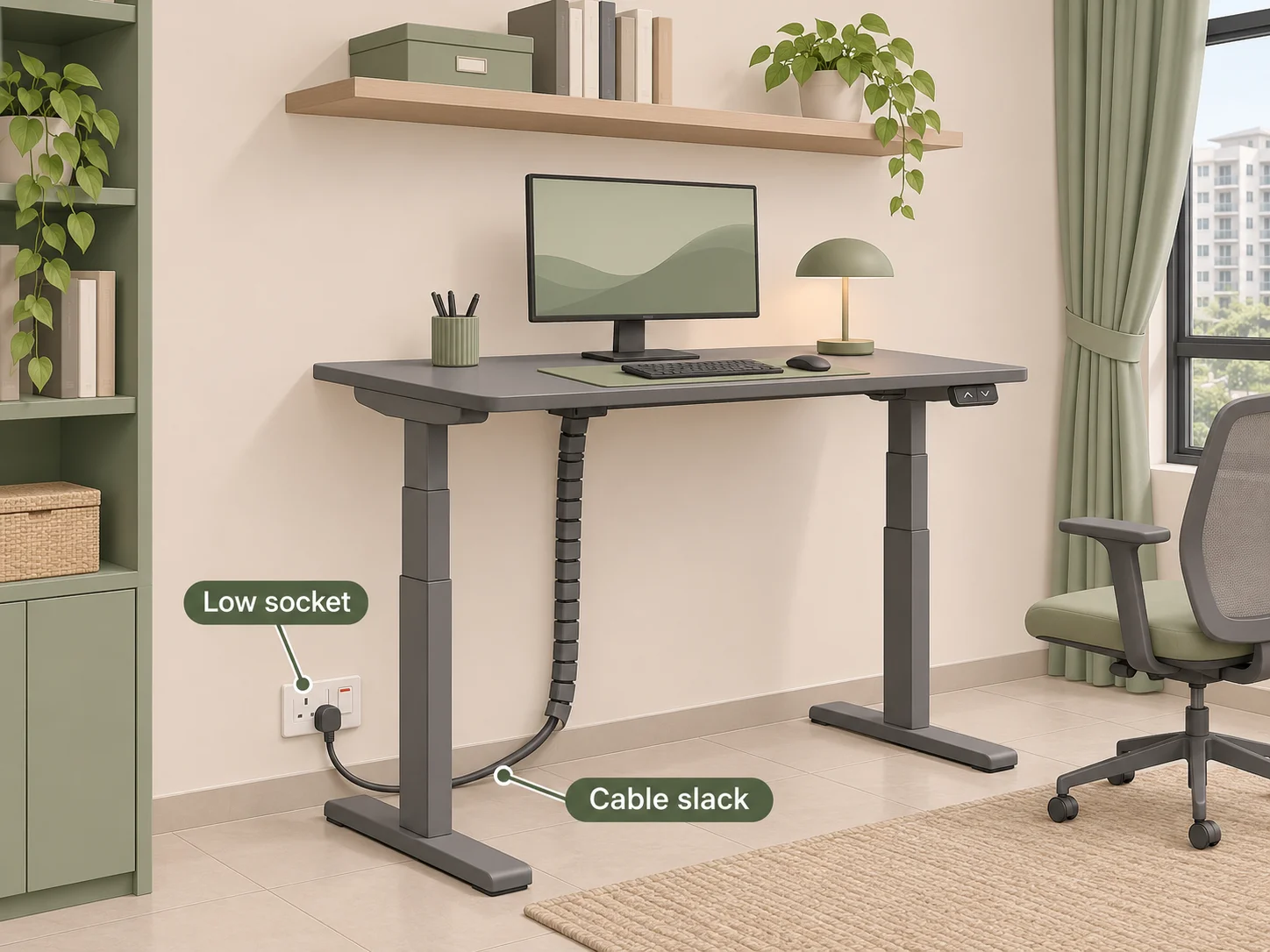
- Sockets — a typical desk-level socket at 800–900mm can end up in the desk’s path. Put one lower, below the desk’s lowest position, so the plugs never get in the way. If you’re adding USB or data points, plan those low too.
- Cable slack — every cable needs enough length to reach the top at full height. Allow for that in a cable tray or spine, and leave room behind the desk so the cables can hang freely.
- Built-in carpentry — don’t let your carpenter box the desk in. Shelves and overhead cabinets must clear the top, your monitor and anything on the desk at full height.
- Walls behind the desk — if you know you want a wall-mounted arm, tell your contractor before painting, so that the fixing point is ready and doesn’t cut through hidden wiring.
- Floor — your contractor can tell you if the floor is level where the desk will sit. Levelling feet can handle small differences, but leave them some adjustment.
- Lighting and fans — your eyes sit much higher when you stand. Check the room’s ceiling fan and downlight placement from both positions, because a spot without flicker when you’re seated may not stay that way once you’re up.
- Humidity — keep the top away from a window that lets in rain during the monsoon, and away from the path of direct aircon drips. Particleboard edges won’t enjoy either.
In a small condo, tape the desk’s full footprint on the floor before you choose a deeper top. If you’re still working out how the room should look, our Scandinavian home office guide pairs well with a pale wood top and a slim frame.
Your Standing Desk Checklist Before You Pay
- I’ve measured my standing desktop height and compared it with the desk’s listed range.
- I’ve seen the desk, or a video of it, raised to that height with someone typing on it.
- I know if the frame has a crossbar, and how far the feet reach.
- I know the top’s thickness and material, and my clamp fits it.
- My screens fit the width without pushing the arms to full extension.
- I’ve treated dual motors and 3-stage legs as useful features, not proof of stability.
- I know the return terms, and who pays for collection.
- The socket, cables and wall behind the desk are sorted out.
Get these right and the desk becomes what you hoped for when you ordered it. You rise after lunch with the afternoon light coming in, the screen is steady enough to read comfortably, and you stop thinking about the desk at all.